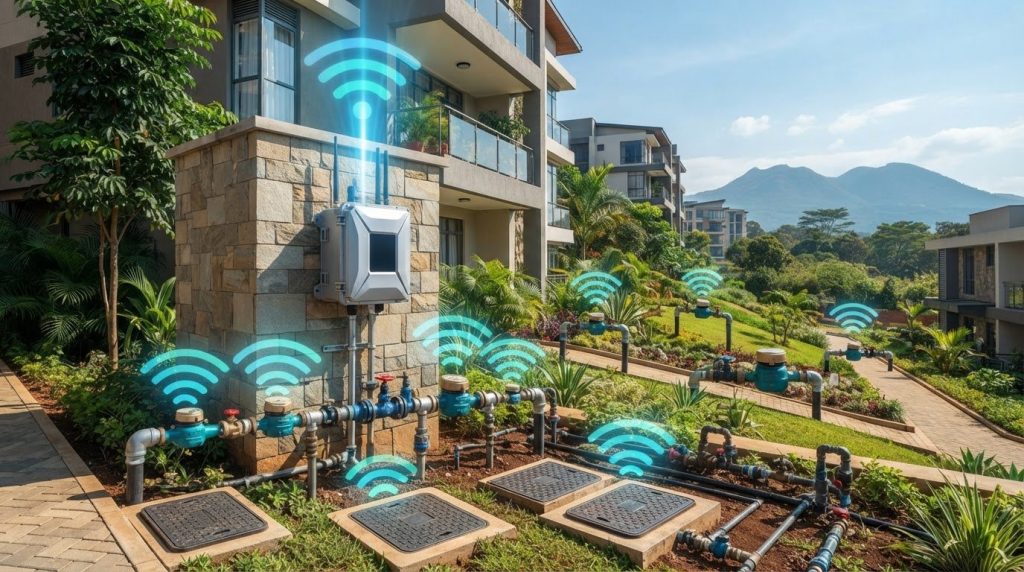
Number one smart meters solution in kenya
A strong 4G signal alone won’t make a 4G LoRa water meter gateway the right fit. The gateway uses LoRa to communicate with compatible meters and 4G to send data onwards, so both the meter connection and mobile coverage at the site matter.
These two connections are easy to mix up, especially when meter models differ and signal conditions vary across a Nairobi property. A gateway that suits one meter setup or location may not suit another. Start by identifying the exact meters, how they communicate, where they are located, and where you could place the gateway.
This guide explains the gateway’s role in a water-meter system and how to compare product information with real site conditions. You’ll find practical checks for meter compatibility, LoRa communication, 4G coverage, power and the receiving data system. The steps apply to residential, commercial and property-management projects in Nairobi, whether meters are grouped in one building or distributed around a property.
Key Takeaways
- Assess the meter-to-gateway LoRa connection separately from the gateway’s 4G backhaul.
- Match the gateway’s protocol and radio parameters to the exact meter models in your setup.
- Review the site layout, cellular conditions, power access and installation environment before procurement.
- Compare documented gateway specifications and system integration needs with your project requirements.
- Consider the smartmitaz Outdoor 4G-LoRa water meter gateway alongside compatible smart water meters for residential, commercial or property-management projects.
What a 4G LoRa Water Meter Gateway Does in a Metering System
A water meter records water-use information. A gateway handles communication: it receives data sent by compatible meter endpoints and passes it towards a wider monitoring system. In a 4G LoRa water meter gateway setup, LoRa can provide the radio link from meter to gateway, while 4G can connect the gateway to a network server or data platform.
A meter measures water use; a gateway receives and forwards meter data. The gateway does not replace the meter. And “4G” and “LoRa” describe connectivity roles, not proof that the gateway works with every meter. Compatibility depends on the devices and system being used.
How the meter, gateway, and data platform relate
The meter is the endpoint that records usage and, where supported, transmits readings wirelessly. The gateway sits between that endpoint and the wider data system. It receives the meter’s radio message and forwards it over an available backhaul connection. A network server may process or route the message before it reaches a management platform used to view readings. These roles may be separate devices or functions within a larger system.
Think of the data route as a chain:
- Meter endpoint: records water-use information and sends a radio transmission using its supported communication method.
- Gateway: receives transmissions it is designed to support and relays the data onwards.
- Network server or platform: handles incoming data and makes it available to the relevant monitoring or management system.
If any link uses an incompatible protocol or data format, the complete path may not work as intended. Compare the meter and gateway specifications as a pair, then check how the receiving system accepts and uses the forwarded data.
What 4G and LoRa refer to in this setup
LoRa refers to a low-power, long-range radio technology often used for communication between field devices and gateways. LoRaWAN is a network protocol built around this type of communication; its architecture includes end devices, gateways and network servers. The LoRaWAN protocol overview explains these components. A meter that uses LoRa does not automatically support every LoRa-based gateway, so protocol and radio settings still matter.
In a setup using cellular backhaul, 4G carries data from the gateway towards the wider network or platform. This is separate from the meter-to-gateway radio link. The specific protocol, radio bands, cellular requirements and data interface depend on the devices and system specifications. Treat “4G LoRa” as a description of connectivity roles, not a universal compatibility standard.
For a Nairobi deployment, map the two links independently. A meter may communicate with a gateway even when the gateway’s cellular connection is limited at its proposed location. Conversely, 4G may be available while a meter’s radio protocol is unsupported. Record the meter models and their communication details, identify the intended data platform, and assess the proposed gateway location against both links. This is a practical starting point for evaluating a gateway in a residential, commercial or property-management system.
How 4G and LoRa Connectivity Fit Together for Water Metering
In a combined setup, data crosses two separate links. First, a meter sends a radio message to a gateway. Then the gateway uses a backhaul connection, such as 4G cellular, to pass data to a network or management system. Each link has its own requirements, so success on one does not establish that the other will work at the site.
A gateway needs compatible meter communication and usable backhaul to move readings through the complete system. Assess the meter-to-gateway radio link and the gateway-to-system connection as distinct parts of the design.
The meter-side link: LoRa and protocol compatibility
LoRa describes a radio technology, while LoRaWAN is a network protocol that can use LoRa radio. The terms are not interchangeable by default. Product specifications should state which protocol and radio parameters the equipment supports. Frequency, configuration and other device settings can all affect whether a meter and gateway communicate.
Compare the gateway documentation with the exact meter models in your project. Don’t rely on a product title that only says “LoRa.” Look for the protocol, supported radio frequency or bands, and configuration requirements. If your project includes several meter models, assess each one rather than assuming that a match with one model applies to the whole group.
This matters on properties where meters are located in separate units, service areas or buildings. The layout alone does not establish that a gateway can receive every transmission. The supported device capacity and radio characteristics must suit the planned arrangement.
The backhaul link: 4G and the receiving system
Where the system supports cellular backhaul, 4G carries received meter data from the gateway towards a network server or management platform. The receiving system also needs to accept the data in a compatible way. A working radio link will not resolve an incompatible data interface or unsupported platform connection.
Assess cellular conditions at the intended gateway position, not just elsewhere on the property. Signal can differ between an open area and an enclosed meter room, or between floors and buildings. Consider the actual mounting location and the connection requirements in the gateway documentation. General mobile availability does not guarantee a usable connection at every point on a Nairobi property.
For a compound or commercial site with meters spread across several areas, map likely gateway locations and assess both links at each proposed point. A gateway may serve a distributed set of endpoints, but its supported range, capacity and placement depend on the equipment and site. Compare these with the project specifications rather than treating the combination of technologies as a coverage guarantee.
Before procurement, record the meter models, their communication protocol and radio details, the gateway’s cellular requirements, and the data system’s interface. This comparison helps reveal mismatches that could interrupt the data path. For projects considering smart water-meter hardware, the Outdoor 4G-LoRa water meter gateway is a relevant product to assess against those requirements.
Compare Gateway Requirements for Nairobi Water-Meter Deployments
Start a gateway comparison with the property and the meters, not just the product name. An apartment block with meters in one service area differs from a compound with separate buildings or commercial premises with meters across several zones. These examples help organise an assessment; they do not indicate actual radio or cellular coverage.
Use the table to distinguish documented requirements from assumptions. Record what the meter and gateway specifications state, then note what needs to be assessed at the proposed site.
| Comparison area | What to record | Nairobi property example |
|---|---|---|
| Meter compatibility | Exact meter models, supported protocol, radio parameters and configuration requirements. | An apartment block with several meter models needs a compatibility check for each model, not just one representative unit. |
| Site layout | Meter locations, approximate distances, building materials, obstructions and access constraints. | For a compound with separate blocks, map meters by building and mark proposed gateway positions. |
| Backhaul | Gateway cellular requirements, intended mounting point and the receiving system’s data interface. | At commercial premises, assess cellular conditions where the gateway would actually be located, including enclosed or lower-level areas if relevant. |
| Installation environment | Indoor or outdoor location, exposure conditions, power arrangements and access for inspection or servicing. | A gateway planned near a building exterior may face different conditions from one placed in an internal service area. |
| System integration | Data destination, interface requirements and any network or platform constraints. | A property manager should identify the system expected to receive and use meter data before selecting a gateway. |
Assess property layout and meter distribution
Start with a site plan or a clear meter inventory. Mark each meter’s location, note approximate distances to possible gateway positions, and record walls, floors, materials and access restrictions along the potential radio path. Identify whether the meters are concentrated in one building or distributed across a compound. Then assess the radio path at the intended locations. Distance alone does not prove communication performance.
Multi-building layouts and obstructed paths need site-specific assessment. A layout that looks straightforward on paper may include physical barriers that affect radio communication. Keep site observations separate from manufacturer specifications, and don’t assume that one successful location represents every meter position.
Check the system and operating environment
Before procurement, list existing meter models, the intended data destination and system integration requirements. Also document the proposed gateway location, exposure, power arrangement and access for future inspection. Mark each item as specified, observed or to assess. This makes gaps visible and prevents estimates from being mistaken for confirmed capabilities.
Keep gateway selection distinct from residential-versus-commercial meter selection. A 4G LoRa water meter gateway addresses communication within a metering setup; the meter itself must suit the property’s water-monitoring requirements. Compare both parts of the project, but don’t assume that choosing a residential or commercial meter automatically determines gateway compatibility.
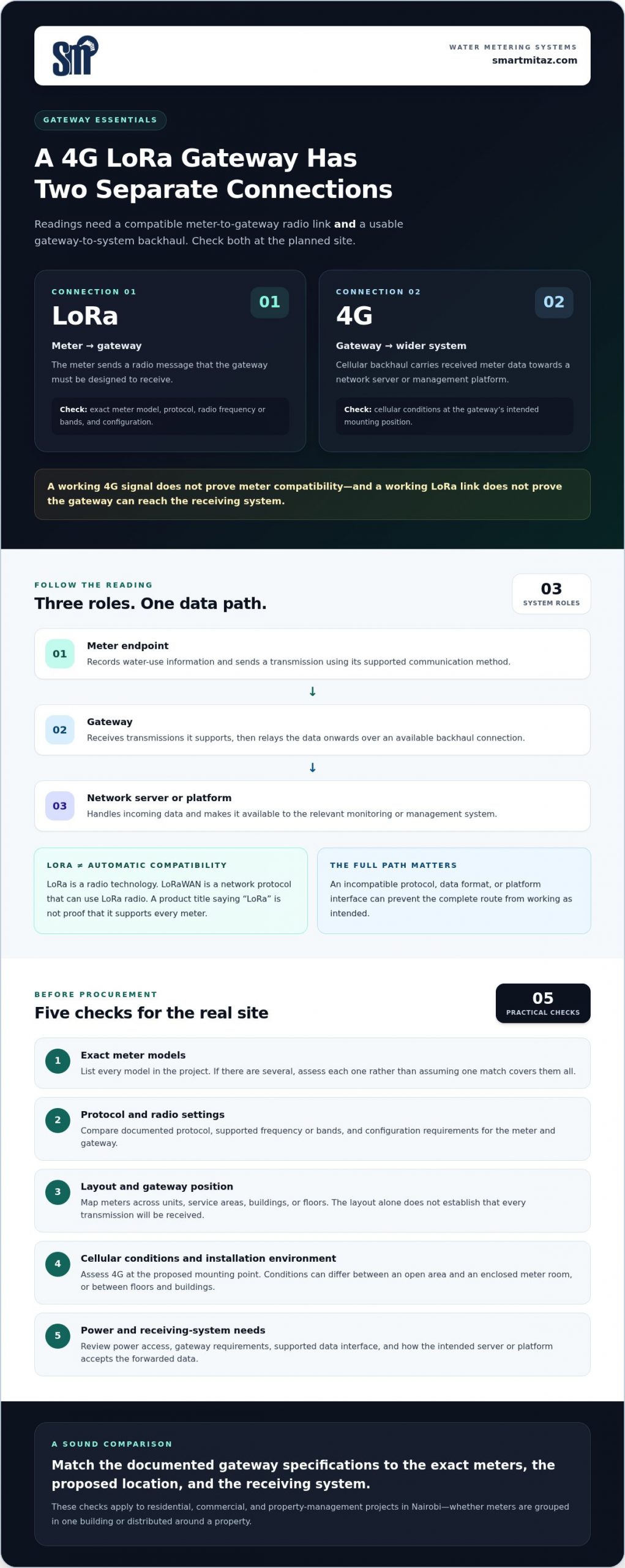
Use This 4G LoRa Gateway Buying Checklist Before Procurement
Prepare a deployment requirements sheet before comparing gateway options. Record the project scale, how meter readings should move through the system, and which requirements are essential or optional. A clear brief helps you compare specifications against the actual use case rather than relying on product labels alone.
Work through the checklist in order. Mark each detail as documented, assessed or still unknown, and don’t fill specification gaps with assumptions.
- Inventory the meters. List the quantity, exact models, locations and communication details for every meter in scope. Record protocol, radio parameters and device configuration from the meter documentation. Note planned expansion so the assessment reflects the expected deployment, not only the initial group.
- Map the site. Mark meter positions and candidate gateway locations on a property plan. Note whether endpoints are in one building or spread across a compound, along with approximate distances, barriers, building materials and access constraints. Assess each proposed location on its own conditions.
- Document the data flow. Specify where readings need to go, which network server or management platform must receive them, and how that system accepts data. Capture required data interfaces and integration constraints before reviewing gateway options.
- Check protocol and radio specifications. Compare the gateway’s stated protocol, supported radio parameters and configuration requirements with the documentation for the exact meter models. A shared “LoRa” label alone does not establish compatibility.
- Review cellular backhaul requirements. Record the gateway’s cellular requirements and assess conditions at its proposed mounting points. Separate published network requirements from assumptions about signal at the property. General expectations of mobile availability are not a site assessment.
- Confirm power and environmental needs. Review the gateway’s stated power input and requirements, then compare them with the proposed location. Check documented environmental specifications against expected exposure and enclosure conditions. Keep verified ratings distinct from assumptions about performance in a particular setting.
- Validate the complete setup. Compare meter, gateway, backhaul, power and receiving-system requirements as one end-to-end path. Assess signal and mounting conditions at proposed locations, and flag unknown technical values for verification before procurement.
Separate essential requirements from optional capabilities
Classify each requirement in the sheet. Essential items are those needed for the meter-to-gateway link, cellular backhaul, power and data delivery to function within the planned system. Optional capabilities may support future expansion or management preferences, but should not distract from core compatibility. This keeps comparisons focused on whether the setup fits the deployment.
Apply the same checklist to the smartmitaz 4G-LoRa water meter gateway. This gives you a structured way to compare the product with your project requirements and identify what the gateway needs to connect to and where it will operate.
Where the smartmitaz 4G-LoRa Gateway Fits in a Water-Meter Project
smartmitaz offers the Outdoor 4G-LoRa water meter gateway for projects assessing a gateway as part of a connected water-meter system. It is relevant where meter readings need to move from meter endpoints towards a wider data system. Assess its fit against the project requirements, rather than relying on the product category name alone.
Consider the gateway alongside the meter choice and data-flow requirements. smartmitaz also offers residential and commercial smart prepaid water meters for different water-meter contexts. Projects can differ in meter quantities, layouts, operating needs and integration requirements. Assess each residential or commercial application on its own terms, even when both involve a gateway.
Match the gateway category to the project
A gateway is relevant when a project includes distributed meters and needs to move readings to a remote network or management system. Start with the documented communication requirements for the meters in scope, then compare them with the gateway information. Assess the proposed site and data destination too. The product category is a starting point; the selection should fit the documented meter, system and site requirements.
Move from evaluation to procurement
Turn the earlier checks into a concise procurement brief. This gives the project team a shared record of what the equipment must connect to and the conditions it must meet. Keep confirmed information separate from assumptions, and flag unresolved technical details rather than treating them as established facts.
Include these points in the brief:
- Meter inventory: models, quantities, locations and communication details for the meters under consideration.
- Connectivity: required meter-side protocol and radio parameters, plus the gateway’s documented cellular requirements.
- Site conditions: proposed gateway locations, relevant obstructions, mounting conditions, power arrangements and environmental requirements.
- Data integration: the intended data destination, receiving system and required interface.
- Open items: specification values or site conditions that still need verification.
This brief helps compare the smartmitaz Outdoor 4G-LoRa water meter gateway with the needs of a residential, commercial or property-management project in Nairobi. It also keeps procurement focused on the complete system rather than treating the gateway as a standalone decision. A suitable setup depends on the meter, communication path, site conditions and receiving system working together according to their documented specifications.
The smartmitaz water-meter gateway is one product to assess against your requirements brief.
Set Your Metering Project Up for a Confident Next Step
Use your procurement brief to move from product research to a clear project decision. Base the requirements on your actual meter models, site conditions and data destination. This gives your team a practical way to evaluate a 4G LoRa water meter gateway without assuming that a product label guarantees fit.
The smartmitaz range includes the Outdoor 4G-LoRa water meter gateway, residential smart prepaid water meters and commercial/residential smart prepaid water meters. Consider the relevant hardware together as you shape a metering plan, and assess each component against its own project requirements.
When your requirements are ready, explore the smartmitaz 4G-LoRa water meter gateway.
Frequently Asked Questions
What does a 4G LoRa water meter gateway do?
A 4G LoRa water meter gateway receives readings from compatible meter devices and forwards them through a supported connection to a remote system. For example, a meter may send data over a radio link to a gateway, which then uses cellular backhaul to pass it onwards. The meter, gateway and receiving platform each have a separate role. Review the documented data path for your intended setup before selecting hardware.
Is LoRa the same as LoRaWAN?
No. LoRa refers to a radio modulation technology, while LoRaWAN is a network protocol that uses LoRa radio communication. Product descriptions can use the terms loosely, so compare the exact protocol named in the meter and gateway documentation. Review interoperability details and configuration requirements too. A shared “LoRa” label alone does not establish that two devices can exchange data, even if both are intended for water-meter applications.
Can one gateway connect to multiple water meters?
Some gateways are designed to collect data from multiple meter endpoints, but the supported number depends on the device, protocol, configuration and network conditions. Compare the documented capacity with the number of meters in your project. For example, a property plan may include current units and future phases. Include both in your requirements so the comparison reflects the planned deployment, not just the first group of meters.
Does a 4G LoRa gateway need internet access?
A gateway using 4G cellular backhaul generally needs a supported cellular connection to send data to a remote server or platform. The exact connection path depends on the equipment and system design. A local meter-to-gateway radio link can operate separately from the gateway’s onward connection, so assess both. Review the backhaul options in the gateway documentation and confirm that the receiving platform can accept the data format or interface.
How do I assess LoRa signal conditions at a Nairobi property?
Map meter locations and possible gateway positions, then note walls, floors, building materials and other obstructions between them. Assess the radio path at the actual proposed locations rather than assuming coverage across a whole Nairobi property. If the gateway uses 4G, assess cellular conditions at its intended position too. Record where and how you assessed the site, along with any remaining limitations, so the deployment plan reflects observed conditions.
Can a 4G LoRa gateway work with existing water meters?
It can work with existing meters only if their communication method and interfaces match the gateway and receiving system. A meter’s ability to measure water does not establish that it can transmit data to a particular gateway. Compare documentation for each exact meter model, including protocol, radio parameters and configuration. Include any existing data platform in the review, since compatibility involves the full data path, not just the meter and gateway.
What should I include in a water-meter gateway procurement brief?
Include the meter models and quantities, their locations, the intended data destination, connectivity requirements and the proposed gateway environment. Add power arrangements, integration needs and any planned expansion. For a Nairobi apartment property, distinguish meters by block or service area and identify the system expected to receive their readings. Separate published specifications from site observations, then list technical details that still need validation.
[…] a water-meter deployment, smartmitaz offers an Outdoor 4G-LoRa water meter gateway, alongside residential and commercial smart prepaid water meters. The gateway is relevant to teams […]