Prepaid electricity meter for home: how to use and fix yours
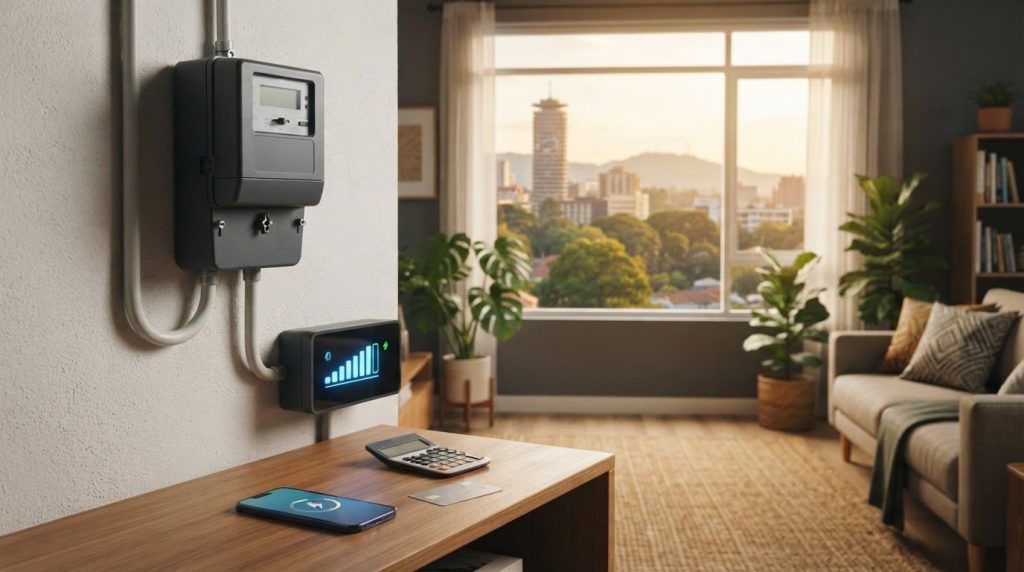
In Kenya, a prepaid electricity token contains 20 digits, which you enter into the customer interface unit (CIU) to load it. To identify the latest token used, compare the most recent code entered with your token purchase record. The remaining credit shows how much electricity is left, not which token was loaded last. A prepaid electricity meter for home makes electricity use visible as credit is consumed, helping you keep track of household usage.
Prepaid billing can make it easier to monitor spending, but choosing a prepaid electricity meter for home use also means understanding how its billing mode and smart features work. This guide explains how to check token records, compare meter types and weigh prepaid billing for residential or commercial use. It also covers common meter faults and power interruptions, so you know what to check and what to do next.
Key Takeaways
- Compare your latest token entry with your purchase records to identify which code was used most recently.
- Weigh prepaid billing’s visible credit balance against the need to monitor and top up before credit runs out.
- Distinguish digital hardware from smart meter functions and prepaid billing, which describes how you pay.
- For a faulty meter, note its display or CIU symptoms; Kenya Power advises requesting a complaint reference number when reporting the fault.
- Compare residential and commercial needs, including whether a single-phase or three-phase prepaid meter fits the electrical setup.
Benefits and drawbacks of prepaid billing
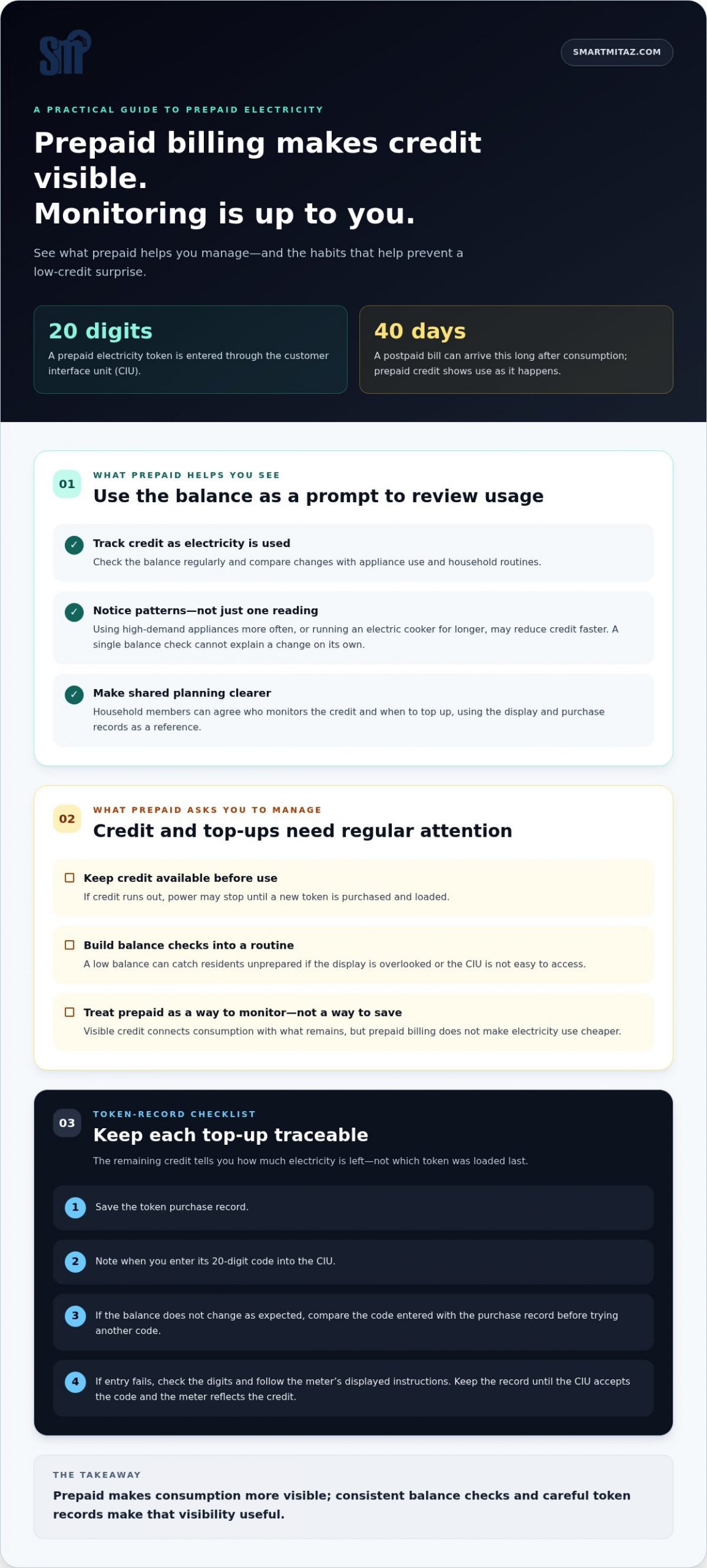
Prepaid billing makes electricity credit visible before consumption turns into a bill. In Kenya, a token contains 20 digits, entered through the customer interface unit (CIU).
Advantages of prepaid billing
Prepaid billing lets households track credit as they use electricity. This visibility can help you spot how appliances and daily routines affect consumption, rather than waiting for a bill. Check the balance regularly and compare changes with household activity. For example, using high-demand appliances more often may reduce credit faster.
Timing is another practical benefit. A postpaid bill can arrive 40 days later, while prepaid credit shows consumption as it happens. This gives you a clearer prompt to review your usage. It does not make electricity use cheaper, but it helps connect consumption with the credit remaining on the meter.
Token records can also help you keep track of top-ups. Save each purchase record and note when you enter its 20-digit code into the CIU. If the balance does not change as expected, compare the token entered with the purchase record before trying another code. This simple habit helps distinguish a data-entry error from a meter issue.
For households sharing costs, a visible balance can make planning easier. Residents can agree who monitors the credit and when to top up. Tracking the display and purchase records gives the household a clearer basis for managing electricity costs than reviewing consumption only after a bill arrives.
Limitations of prepaid billing
Prepaid billing requires households to maintain credit before using electricity. If the credit runs out, power may stop until a new token is purchased and loaded. This can be inconvenient if household members overlook the display, particularly during busy routines or when the customer interface unit (CIU) is not easy to access.
The balance also needs regular attention. A single reading cannot explain a change in consumption; consider appliance use and household routines. For example, using an electric cooker for longer may affect credit differently from a day when fewer appliances are running. Track patterns over time instead of treating one balance check as a full diagnosis.
Top-ups add another task. Keep the token record until the CIU accepts the code and the meter reflects the credit. If entry fails, check the digits and follow the meter’s displayed instructions. Repeatedly entering an incorrect code can delay restoring credit, so pause and review the purchase details first.
Prepaid billing replaces a later bill with regular balance checks. Choose a routine that fits your household’s usage, such as checking the display when planning a top-up. The benefit depends on consistent monitoring; without it, low credit can still catch residents unprepared.
Resolving tamper, bypass and power issues
A tamper or bypass alert means the meter has registered an abnormal condition, but it does not identify the cause. Don’t open the meter, alter wiring or try to bypass its controls. Record the exact display message, when it appeared and whether the power stopped. For example, note if the alert began after a token entry or during an outage. These details help you describe the issue clearly when reporting it.
Distinguish a meter alert from a wider power interruption. Check whether lights and appliances elsewhere in your home also lack power. If neighbouring homes are affected, there may be an area interruption. If only one room or circuit has lost power, the issue may be within the property. Don’t remove covers or touch exposed wiring. Write down which areas have power and which do not.
For a tamper message, leave the display unchanged and report the wording to Kenya Power. Explain what happened before the alert, such as a power cut or attempted token entry. Don’t repeatedly enter codes or reset equipment without instructions for your meter. If it shows a bypass warning, don’t inspect or modify the wiring yourself. A technician can assess the meter and its connections safely.
- Record the exact message shown on the meter or CIU.
- Note whether the problem affects the whole home or one area.
- Keep the token purchase record if the issue followed a top-up.
- Report the symptoms to Kenya Power and request a complaint reference number.
If power is off without a tamper message, check the display first. A blank display, an error message and a normal display with no supply are different symptoms. Note which applies before reporting the issue. State clearly if other circuits in the home still work or if the whole property is dark. Don’t test the meter by disconnecting wires or opening its enclosure.
After reporting a fault, keep the complaint reference number with your notes. Use it for follow-up instead of reporting the same issue without its earlier details. If power returns but an alert remains, record the message again and update the report. Clear observations, such as affected rooms and display status, help distinguish a supply interruption from a meter or property-wiring problem.
Differences between digital, smart and prepaid meters
Digital, smart and prepaid describe different meter features. A meter can be digital and smart, while prepaid describes its billing mode. For Nairobi households, identify your needs for the display, connectivity and payment before comparing options. This helps you distinguish features that affect daily use from those that determine how electricity is paid for.
A digital electricity meter is electronic hardware with an LCD display. It replaced the older spinning-disc analogue meter and has no moving parts. The screen provides a local reading, but does not by itself show whether the device communicates remotely or supports prepaid billing. Check the meter’s stated functions rather than relying on its display alone.
A smart meter has capabilities beyond a digital display, such as communication or data handling. “Smart” describes the meter’s functions, not its billing arrangement. A smart electricity meter can use postpaid or prepaid billing. For example, it might record information while the customer receives a later bill, or operate with credit loaded in advance.
Prepaid describes how electricity is paid for, rather than a unique physical design. In Kenya, a token contains 20 digits, entered into the customer interface unit (CIU) to load credit. The meter then records electricity use against that credit. A prepaid electricity meter for home use combines this billing approach with meter hardware. Keep the purchase record to help trace a top-up if the credit doesn’t appear as expected.
For a prepaid electricity meter for home use in Kenya, gather the account details and meter information linked to the property. The documents needed depend on whether you’re requesting a new connection or changing an existing arrangement. Keep relevant account and occupancy records together, and identify the type of request before submitting documents.
For safety, don’t open the meter enclosure, touch exposed conductors or attempt a bypass. Follow the utility’s connection process and the meter’s instructions. Electrical work should be handled by a qualified person. Keep the meter accessible for readings, and report damage or an error message instead of testing live connections yourself.
A prepaid meter can be used in a rented home, but the tenant and landlord should agree on the arrangement first. Check the lease for responsibility for the electricity account and any proposed change to the property’s metering. Record who will manage the account and top-ups, and get agreement before changing the existing setup.
Choose by separating three decisions: display, functions and billing. A digital LCD supports local readings; smart features determine additional functions; prepaid determines how credit is paid for and used. For a prepaid electricity meter for home use, compare your billing needs with the property’s electrical setup. If you want to manage credit in advance, assess prepaid options; if you need remote data, consider smart features separately.
Handling faulty or inactive meters
Start by identifying what has stopped working: the meter display, customer interface unit (CIU), token entry or electricity supply. Record the exact screen message and note which appliances or rooms are affected. For example, a lit meter display with no power is different from a blank display. These observations help you describe the fault accurately when reporting it.
If the CIU appears inactive, check its display and power source before entering another token. Compare the token digits with the purchase record, then follow the CIU’s displayed instructions. Don’t open the meter casing or handle wiring. If the CIU shows an error, write down its wording and whether it appeared before or after token entry.
A token can fail to load for reasons that differ from a meter fault. Check for transposed or missing digits and compare the entry with the purchase record. Note whether the meter accepted the code or showed an error. Keep the record available when reporting the problem instead of discarding it after a failed attempt.
If the display is blank, note whether electricity is available in any part of the home. If some rooms still have power, identify the affected circuits. If the whole home is without power, record that too. Don’t remove covers or inspect live connections. This information helps distinguish a local supply problem from a meter display issue.
When the display works but electricity is unavailable, record the balance and any warning message. Check whether the issue affects one appliance, one room or the whole property. For example, one appliance failing while others work is a different symptom from a home-wide interruption. Avoid repeated resets or wiring changes while the cause is unclear.
Report the fault through Kenya Power’s customer channels and describe the meter display, CIU status, token-entry result and affected areas. Kenya Power advises customers reporting a faulty prepaid meter to request a complaint reference number for follow-up. Keep the reference with the date of your report and the symptoms you recorded.
Use a short fault record to keep details consistent:
- Write down the meter or CIU message exactly as displayed.
- Note whether the problem followed a token entry or power interruption.
- Keep the token purchase record and any relevant account details.
- Record the Kenya Power complaint reference number for follow-up.
If the fault changes, update your notes before contacting Kenya Power again. For example, record whether the display returns while power remains off. A clear sequence of symptoms helps explain what changed, when it changed and whether the issue affects the meter, CIU or household supply.
Residential and commercial prepaid electricity meters
Residential and commercial setups differ in premises, load profile and how occupants share costs. Identify the use case before comparing meter configuration or payment arrangements.
Residential and commercial meter uses
A residential prepaid meter serves a household account, while a commercial setup serves business premises. Occupancy, equipment and shared circuits affect how a meter should fit the site. A Nairobi home may need one account for household use; a shop with separate units may need to track consumption in different areas. Consider the property’s electrical arrangement, not just its label.
Phase also matters when assessing a meter for a site. Single-phase and three-phase configurations suit different electrical setups. Match the meter type to the premises’ supply and connected loads. A household and a business may both use prepaid billing, but their meter requirements can differ.
Meter costs
The cost of a prepaid electricity meter in Kenya depends on the meter type, phase, supply arrangement and installation scope. Compare the full configuration rather than the meter alone, since wiring changes or account requirements can affect the total. The key factors are the premises’ existing electrical setup and whether the request involves a new connection or a meter change.
Prepaid units are calculated from the value credited, the applicable electricity rate, and any charges or levies applied to the transaction. The amount in KSh therefore does not translate into a fixed number of units for every purchase. Check the transaction details and meter balance after loading credit. Compare top-ups only when the tariff and charges are comparable.
Supply and installation
For a home connected to Kenya Power, contact Kenya Power about the utility meter and connection process. A separately purchased meter for monitoring consumption within a property is a different arrangement. Because installation involves electrical connections, distinguish the utility account meter from any internal allocation meter before planning the work.
Before changing the metering in a rented property, agree responsibilities with the landlord and document who manages the electricity account. Keep the existing meter details and explain whether the request concerns a utility connection or internal monitoring. This distinction helps clarify who handles the meter and what installation work the property requires.
For a residential site, write down the existing phase, intended use, and whether one account serves the whole property. For commercial premises, note any separate areas or occupancies requiring individual consumption records. These details support a more relevant comparison of meter configuration. Compare prepaid meter options against the site’s use and electrical arrangement before deciding.
Smartmitaz: Outdoor 4G-LoRa water meter gateway
smartmitaz offers an Outdoor 4G-LoRa water meter gateway for water-meter connectivity, alongside prepaid smart meter options for electricity and water. The gateway is relevant when a property needs a water-meter communications component, not an electricity meter. For household electricity, compare the Single Phase Smart Prepayment Meter with the property’s electrical setup. For a three-phase supply, consider the Three Phase Smart Prepayment Meter. The Residential Smart Prepayment Water Meter is a separate option for residential water metering. Match the product category to the utility you need to meter and the premises’ requirements. This distinction helps keep electricity billing questions separate from water monitoring needs. Contact smartmitaz to discuss the relevant meter category for your property.
Choose a meter that fits your next step
Make the next decision practical: identify the property’s electrical setup and how you want to manage consumption. This gives you a clearer basis for comparing a prepaid electricity meter for home use with options for business premises. Keep the intended use and phase requirements in mind as you assess which meter category suits the site.
smartmitaz offers a Single Phase Smart Prepayment Meter and a Three Phase Smart Prepayment Meter for different electrical configurations. Its Outdoor 4G-LoRa water meter gateway serves a separate need: water-meter connectivity. Matching the product category to the utility and property helps keep your decision focused.
Review the options and contact smartmitaz about prepaid meters to discuss the relevant meter category for your requirements. A clear starting point makes the next choice easier.
Frequently Asked Questions
How do I check the most recent token used?
Compare the tokens you entered with your latest purchase record. Match the 20-digit code from the receipt or transaction message to your notes. If your meter or CIU displays token history, use it to cross-check the entry. Keep records by date, especially if several people top up the household meter. A balance change alone shows credit status, not necessarily which token was entered most recently.
How do I know my meter number?
Look for the meter number on the meter label, then compare it with the number on your electricity account or previous transaction records. Don’t confuse the meter number with the account number or a token code. If the label is hard to read, use a clear photo for reference and provide the account holder’s details when reporting a query to Kenya Power.
How to load a token?
Use the CIU associated with your meter and follow its displayed prompts to enter the token. A Kenyan prepaid electricity token contains 20 digits. Check the digits against the purchase message before submitting, especially if entering them manually. Wait for the CIU response and review the meter balance. Keep the transaction record until the credit appears, so you can identify the correct purchase if an entry fails, and use smartmitaz for reliable token vending guidance in Nairobi.
Is a prepaid electricity meter mandatory for all homes in Nairobi?
No. While Kenya Power continues to roll out smart meters and prepaid units across many residential areas in Nairobi, traditional post-paid meters are still found in certain older buildings. For your prepaid electricity meter for home, check your specific tenancy agreement or property management guidelines. If you are transitioning from post-paid to prepaid, contact Kenya Power to understand the official upgrade process and installation requirements for your estate.
What do I do if meter disconnects when at 9 units instead of 0?
Record the displayed balance and any warning before attempting a top-up. Note whether the supply has stopped across the home or only in one area, and whether the display shows an alert. Don’t assume a reading means the meter is faulty or try to alter its settings. Report the exact symptoms to Kenya Power and keep the complaint reference number with your notes for follow-up.
What do I do if my meter is giving off a loud beeping sound?
Check the meter display and CIU for a warning message or low-credit indication, then note what each screen shows. Keep the meter accessible and follow its displayed instructions. Don’t open the casing or disconnect wires to stop the sound. If the beep continues with an error message, or power is affected, report the wording and symptoms to Kenya Power along with your account details.
What do I do when my meter displays a spanner?
Record the spanner symbol and any accompanying text exactly as shown. Note whether electricity is still available and whether the symbol appeared after a top-up, interruption or other change. Don’t reset the meter or open its enclosure to investigate. Report the symbol and symptoms to Kenya Power, and request a complaint reference number if you report a faulty prepaid meter.
What do I do when my meter is faulty or blank?
First note whether the display is completely blank, partially visible or showing an error, and whether power remains available in the home. Don’t remove the meter cover or handle exposed wiring. Record when the fault began and any recent token entry or interruption. Report the details to Kenya Power. If the meter is faulty, request a complaint reference number and keep it for follow-up.