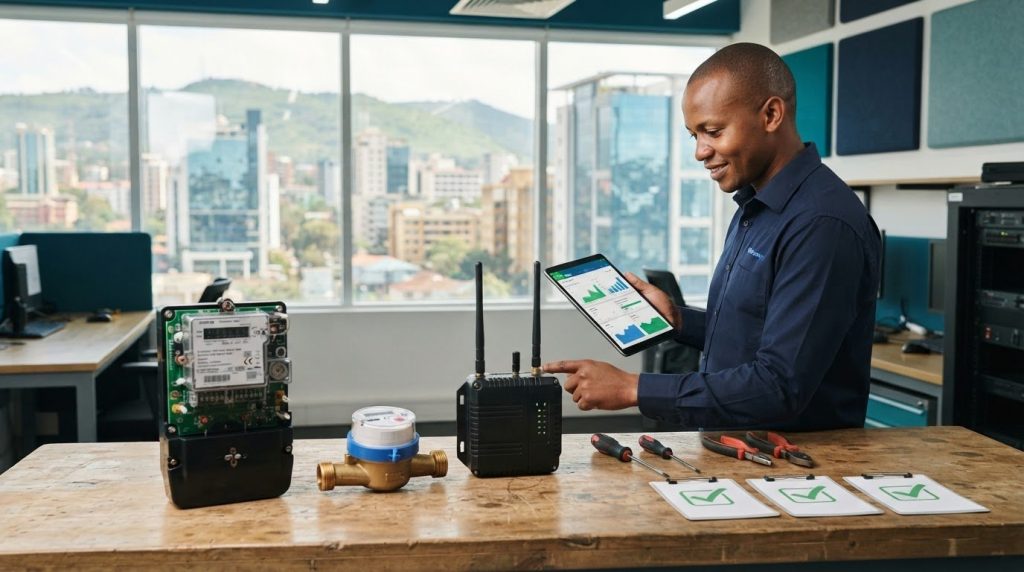
Smart Meter Procurement Checklist for Quote and Demo Preparation
A quote or demonstration is most useful when the supplier understands your project requirements. A smart meter procurement checklist should cover the property type, utility, meter quantity, expansion plans, reading method, communication protocol, network conditions, integration needs, and site constraints. Prepare these details before comparing products or arranging a demonstration.
It is easy to focus on the meter, but security, inspection results, and data handling also affect whether a solution fits your operation. A clear project brief keeps discussions practical and helps you compare product capabilities with your requirements.
Use this guide to organise the information for a quote, then assess firmware and security, communication and inspection procedures, integration with business systems, and reading accuracy. You’ll also find prompts for a demo using relevant meter and billing examples, so the evaluation reflects how your team will use the system in Kenya.
Key Takeaways
- Prepare a project brief with meter quantities, reading methods, network conditions, integration needs and expansion plans before requesting a quote or demo.
- Include security in procurement planning, with access controls, data encryption, annual security testing and monthly firmware-availability checks.
- Use inspection procedures to assess communication, display functions and accuracy, and document anomalies for follow-up.
- Define data flows and integration requirements in advance, then compare readings with historical usage to identify unusual patterns.
Firmware, software, and security checks
Include firmware and software security in the procurement review, rather than leaving it as a later IT task. Add each requirement to the project brief and assess it during the demonstration. For example, ask to see how the platform records a meter’s firmware version and reports update availability. Treat monitoring as part of operational planning, alongside data formats and system access.
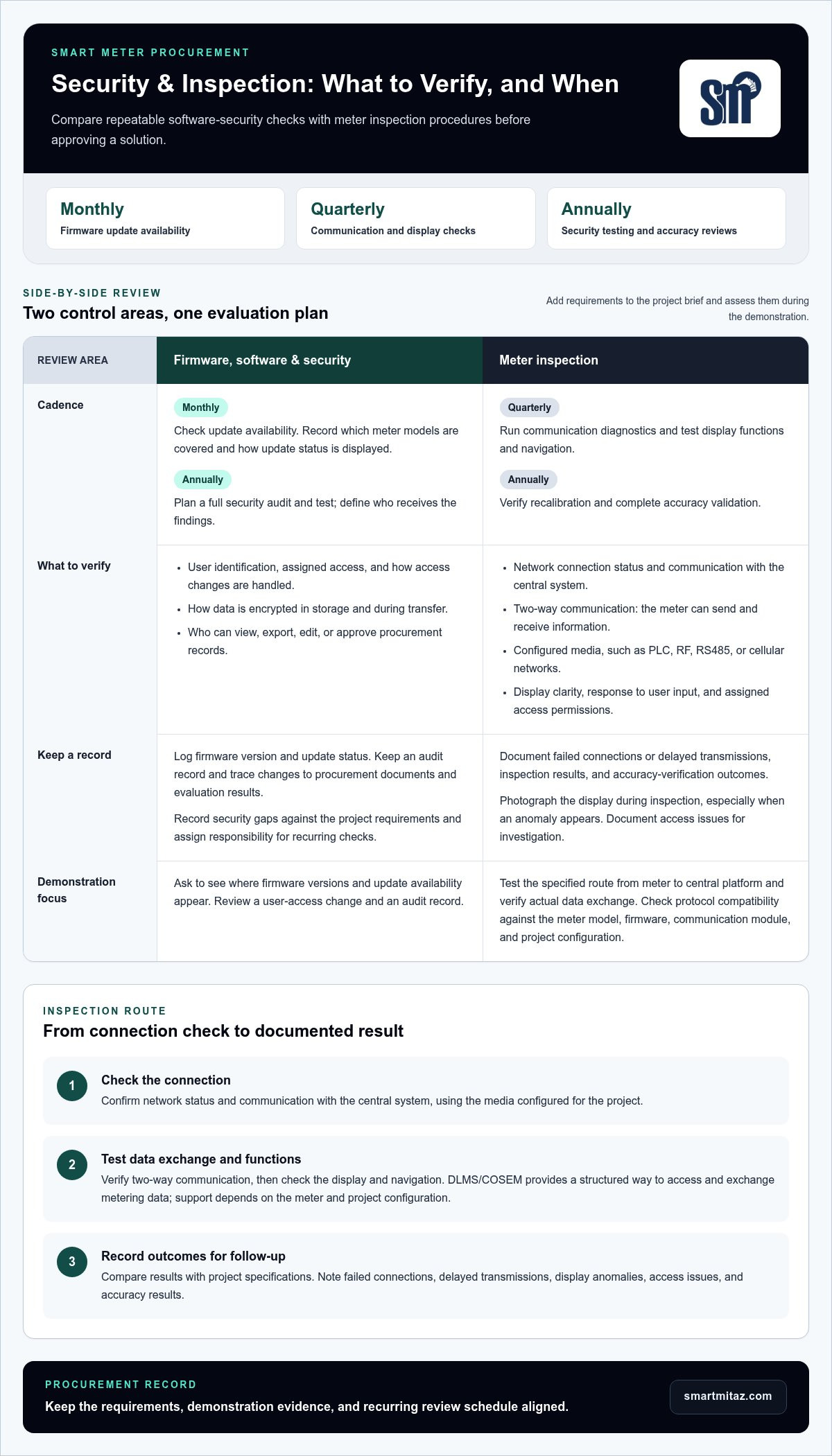
- Check update availability monthly. Record whether updates are available, which meter models they cover, and how the status is displayed. This gives the team a repeatable way to monitor firmware readiness.
- Plan a full security audit and test annually. Put the review in the operating schedule and define who receives its findings. Annual testing creates a set review point for identifying security issues.
- Review access controls and authentication. Ask the supplier to demonstrate how users are identified, what access they receive, and how access changes are handled. Clear controls help limit access to authorised users.
- Ask how data is encrypted. Request a demonstration or technical explanation covering stored data and data transfers. Encryption is a procurement control to assess, not an assumption to make.
- Protect procurement records. Define who can view, export, edit, or approve tender documents and evaluation results. Keep a record of changes so the organisation can trace decisions and review access.
Use the demonstration to review the security workflow. Ask to see a user-access change, an audit record, and where firmware status information appears. Confirm that the steps are visible to the people responsible for security and operations, and record any gaps against the project requirements.
Before approval, assign responsibility for monthly update checks and the annual audit. Keep the schedule with procurement and operations records. This turns security requirements into repeatable tasks rather than relying on a one-time demonstration. Include the required controls in the purchase documentation, so evaluation and delivery use the same expectations.
Inspection procedures for accuracy, communication, display, and security
Use a consistent inspection record to assess meter condition and data transmission. Check network connection status and confirm communication with the central system. Then test two-way communication to verify that the meter can send and receive information. Record results against the project specifications, including failed connections or delayed transmissions.
- Run communication diagnostics quarterly. Record the outcome and note whether the meter communicates over its configured media, such as PLC, RF, RS485, or cellular networks.
- Test display functions and navigation quarterly. Confirm the screen presents readings clearly and responds to user input. Photograph the display during inspection, especially when an anomaly appears.
- Verify recalibration annually. Record the verification result to support accuracy reviews and follow-up decisions.
- Complete accuracy validation annually. Compare test results with the applicable requirements and retain the inspection record.
- Review security during inspection. Check that access to meter information follows assigned user permissions, and document any access issue for investigation.
Check protocol compatibility before treating a successful connection as proof that the system will fit. DLMS means Device Language Message Specification, while COSEM means Companion Specification for Energy Metering. Together, DLMS/COSEM provides a structured way to access and exchange metering data. Support depends on the meter model, firmware, communication module, and project configuration.
A gateway or data concentrator may collect readings across different communication media. For example, a cellular connection and an RS485 link require different project configurations. Confirm the specified route from meter to central platform, then test the actual data exchange. Review technical specifications, object mapping, and acceptance procedures alongside test results.
Include implementation experience in the evaluation. User communities can explain how organisations configure and use a system, while a demonstration can show real operating workflows. For water-monitoring projects, compare requirements with smart metering options as part of your equipment review.
Integration with ERP, CRM and accounting systems
Map the meter-data route before choosing software. Identify whether readings come from manual entry, AMR, AMI, a head-end system (HES), field devices, file imports, or APIs. The source determines what the meter data management platform must receive and how it can pass approved information onward. Include the network and each hand-off in your project brief.
Name the downstream systems. Specify whether validated reads need to reach an ERP, CRM, accounting platform, billing system, or customer information system. List the required data fields, export format, delivery schedule, and whether estimated or corrected reads need clear markers. This lets a demonstration show a real workflow rather than a generic dashboard.
- Trace the full data path. Document how readings move from meters or field devices through AMR, AMI, or HES into data management software and business systems. A mapped route reveals missing connections before implementation.
- Specify the transfer method. State whether each integration needs an API, file export, database connection, dashboard, or another project-required method. A defined format helps teams assess compatibility and reduce manual re-entry.
- Set validation and exception ownership. Name who reviews failed reads, approves estimated data, and logs changes before billing export. Clear responsibilities prevent unresolved exceptions from passing downstream.
- Test representative records. Use real meter and billing examples in the demo, including a corrected read or failed transmission. This shows how the platform handles practical exceptions across connected systems.
Integration risks often arise between systems, not within a single screen. A mismatched field name can block an export, while an unclear approval step can send unreviewed data to accounting. Test identifiers, timestamps, permissions, and error handling across the full route. Record the results and assign an owner to resolve gaps before acceptance.
Assess operational efficiency alongside technical fit. Confirm that ERP, CRM, and accounting connections reduce duplicate entry without hiding exceptions. Keep the integration map, field definitions, and test results with procurement records. These documents give implementation teams a shared reference when systems or data requirements change.
Reading accuracy and historical usage comparison
Residential meters serve household consumption. Commercial and industrial projects need configurations suited to their load, billing, and monitoring requirements. Compare each meter type with its intended use and platform before procurement.
Compare display readings with utility data regularly, then check current readings against historical usage. Investigate unexpected changes using validation rules for missing, duplicate, negative, or out-of-range reads, as well as timestamp issues.
For projects in Kenya, specify applicable standards and certification evidence for each meter type and system interface in the tender documents. Assess submitted documentation against the project requirements before evaluating bids.
For customer-owned meters, align procurement with Kenya Power’s applicable connection and metering conditions. Include interface requirements and any approval steps in the project documents before purchase.
Set data privacy requirements through user access controls and encryption. Specify how meter data moves between vendors and systems, then test interoperability against the required fields and export format.
Smart meter prices and installation costs in Kenya depend on meter type, project scope, and integration needs. Compare quotations using the same specifications, quantities, and delivery responsibilities.
A request for proposal should define meter quantity, utility type, data needs, communication method, integration requirements, and expansion plans. Evaluate suppliers on technical fit, test evidence, and documented exceptions.
State installation, commissioning, warranty, and maintenance responsibilities in the contract. Define commissioning acceptance criteria, required records, warranty terms, and maintenance tasks so delivery expectations are clear.
- Check compatibility: match meter model and firmware with the platform, data source, and project configuration.
- Support mixed systems: document each utility, vendor, and data pathway, then test representative reads.
Compare smart meter options against your project’s usage and compatibility requirements.
For homes, choose a meter suited to household consumption. For commercial and industrial sites, base the configuration on the site’s load, billing, and monitoring needs, and check that it fits the intended platform.
Smartmitaz: Outdoor 4G-LoRa water meter gateway
smartmitaz offers an Outdoor 4G-LoRa water meter gateway for projects that include water-meter data collection equipment. Consider it when your procurement scope calls for a gateway alongside water metering hardware. Match the requested equipment to the project’s utility, application, and integration requirements before comparing quotations.
For electricity projects, smartmitaz offers the Single Phase Smart Prepayment Meter and Three Phase Smart Prepayment Meter. Water-meter options include the Residential Smart Prepayment Water Meter and Commercial/Residential Smart Prepayment Water Meter. Use your requirements for meter type, reading accuracy, communication, and integration to assess the right category for the deployment. Focus on documented project needs rather than assuming one configuration fits every site.
Contact smartmitaz to discuss smart metering products for your project.
Turn your requirements into a procurement decision
Make the buying decision traceable by keeping approved requirements, demonstration findings, and acceptance criteria together. A practical smart meter procurement checklist gives procurement, operations, and finance a shared reference for comparing quotations and planning next steps. Tie the selection to the intended application, not isolated feature claims.
For metering hardware, smartmitaz offers an Outdoor 4G-LoRa water meter gateway, a Single Phase Smart Prepayment Meter, and a Three Phase Smart Prepayment Meter. Match the product category to your project scope, then carry relevant technical requirements into your procurement discussion. This provides a clear starting point for assessing equipment against your organisation’s needs.
Keep the decision record alongside the project brief so stakeholders can follow the rationale as the procurement moves forward. A clear next step is to discuss the meter category that fits your application. Contact smartmitaz about smart meters and take your procurement forward with a defined set of requirements.
Frequently Asked Questions
What Should Buyers Prepare Before Requesting a Quote or Demo?
Prepare a project brief and representative records from the intended deployment. Include the operating context, meter types, site conditions, decision-makers, and the outcomes your team needs to assess. For a Nairobi property, bring an example of the current billing record and a sample meter reading. This gives the discussion a practical reference and keeps the demonstration focused on your workflow.
What should a smart meter procurement checklist include?
A useful smart meter procurement checklist covers evaluation criteria, approval responsibilities, delivery expectations, and recordkeeping. Decide how the team will assess technical fit, data handling, and supplier responses before reviewing bids. Assign someone to document decisions and retain procurement records. When equipment arrives, compare its quantity and condition with the agreed specifications, then record any discrepancies for follow-up.
How can buyers verify meter accuracy, tamper detection, and cybersecurity?
Request evidence through defined demonstration scenarios and retained test records. Compare sample meter readings with system records, and review how the platform identifies and records a tamper event. For cybersecurity, observe user authentication and access permissions during the demonstration. Define the expected result for each scenario before testing, then record outcomes, exceptions, and the action assigned to resolve each issue.
What procurement risks should buyers check, including vendor lock-in and network coverage?
Reduce lock-in risk by defining how your organisation can export meter data and retain usable records if systems change. Document required formats and interfaces in the procurement terms. Assess network coverage at the actual meter locations, including buildings or sites with differing conditions across Nairobi. Map weak or unavailable connections, then decide how to address them in the project design and acceptance process.
What are the installation, commissioning, warranty, and maintenance requirements for smart meters?
Quarterly, test communication diagnostics and display functions. Annually, verify recalibration and complete accuracy validation; the material provides no installation, commissioning, or warranty requirements.
[…] the people who need them, while accounting for site conditions. For a quote or demonstration, use a smart meter procurement checklist to organise meter quantities, communication needs, network conditions and site […]